

Quick Summary
Personal devices and unsecured storage put patient privacy at risk. In this guide, we compare seven HIPAA-compliant photo storage solutions for aesthetic practices, including RxPhoto, Box, and OneDrive, to help you find a dependable option for your growing practice.
Looking for HIPAA-Compliant Photo Storage?
Clinical photos document patient journeys, support consultations, and build trust through visible results. But when those images are stored on personal devices or scattered folders with no central system, patient privacy becomes vulnerable.
Most plastic surgeons admit to storing clinical photos on personal smartphones, and several others have accidentally shown these images to friends or family. For growing plastic surgery practices, medspas, and clinics, disorganized photo storage can compromise patient consent ethics and undermine the professional credibility you've worked to build.
But a HIPAA-compliant solution can bring order to this chaos. This guide compares seven trusted options to help you find one that fits how your practice actually operates.
Why Listen to Us
At RxPhoto, we've built our platform alongside aesthetic professionals who face image privacy challenges daily.

Our patented ghosting technology, end-to-end workflows, and HIPAA-compliant photo storage help industry leaders document treatments, protect patient privacy, and deliver professional experiences.
What Is a HIPAA-Compliant Photo Storage Solution?
Clinical photos are essential for consultations, treatment planning, and outcome tracking. These images contain sensitive visual health information, and storing them insecurely exposes patients and practices to privacy breaches, legal risks, and loss of trust.
But a HIPAA-compliant photo storage solution addresses these concerns through encrypted storage, consent documentation, and seamless workflow integration. It centralizes images in a confidential environment while providing role-based access controls, audit trails, and secure sharing.
Features like automatic backups, client retention policies, and mobile device safeguards ensure that images are always protected and properly managed. This level of organization helps practices retain clients, increase trust, and reap the benefits of client retention.
Benefits of Using a HIPAA-Compliant Photo Storage Solution
Choosing a HIPAA-compliant photo storage solution for your aesthetic practice improves clinic documentation and patient trust. Here are four ways they do that:
1. Secure and Compliant Storage
Patient photos contain sensitive health information, and storing them insecurely can lead to privacy breaches, legal issues, and loss of trust. But a HIPAA-compliant photo storage system keeps patient photos safe with encryption, secure access, and protected capture.
Using dedicated medical photography storage software instead of personal devices also reduces the risk of leaks, while built-in compliance lets staff work confidently and patients feel secure.
2. Reliable Backup and Data Recovery
Clinical photos are irreplaceable, as they often capture important moments in a patient’s recovery journey. When photos live on local devices or traditional storage systems, hardware failures or accidental deletion can lead to permanent loss.
HIPAA-compliant storage solutions protect against this by keeping secure, mirrored backups across multiple systems. This helps you create a high-converting photo gallery for consultations and long-term records.
3. Compliance Auditing and Monitoring
Healthcare practices must track who accesses patient photos and how they are used. Without proper monitoring, audits become difficult and compliance risks increase.
A HIPAA-Compliant platform provides visibility and accountability through detailed access logs, consent records, and usage tracking. These platforms also feature seamless integrations that connect images directly to patient records and consultation tools, making documentation easier to manage while simplifying auditing and reducing administrative stress.
4. Staff Adoption and Workflow Efficiency
Clinical teams often struggle with multiple apps and complicated processes, which slows work down. If tools aren’t easy to use, staff may avoid them, leading to inconsistent documentation.
However, a HIPAA-compliant solution built for clinical workflows lets staff capture, organize, and access photos in one place. Intuitive design also encourages consistent use, reduces bottlenecks, and keeps documentation standardized as your practice grows.
The 7 Best HIPAA Photo Storage Solutions for Aesthetic Clinics and Practices
Here is a quick side-by-side of the seven best HIPAA photo storage solutions clinical practitioners can trust:
1. RxPhoto

RxPhoto is a HIPAA-compliant clinical photography solution designed specifically for aesthetic practices. It gives practitioners a secure, centralized place to capture, organize, and store patient images without relying on personal devices or scattered folders.
Photos are automatically encrypted and pushed to secure cloud storage the moment they're captured, eliminating the compliance risks of personal devices and scattered folders. Industry leaders choose RxPhoto for its digital consent management tools, visual consultation features, and direct EMR integration, which seamlessly fit into existing workflows.
Key Features
- Centralized Photo Storage: All patient photos live in one secure, organized location with controlled access for authorized staff only.
- Automated Image Upload: Images are encrypted and uploaded automatically after capture, with no manual transfers or downloads required.
- Digital Consent Management: Capture patient signatures and manage consent documentation directly within the app.
- Native EMR Integrations: Connects with PatientNow, EnvisionNow, and other systems to keep photos linked to patient records.
- Practice-Branded Galleries: Display before-and-after photos on your website or in consultation rooms with built-in watermarking.
Pricing
Custom pricing available upon request.
Pros
- Purpose-built for aesthetic practices, not adapted from general cloud storage
- Improves patient trust with secure, professional documentation
- Supports marketing with high-quality, consistent images that display results
- Mobile-first design lets teams capture and access photos from any iPhone or iPad across multiple exam rooms
- Consolidates photos, consent, and charting in one place, reducing documentation time
- Scales as your practice grows without slowing workflows or creating extra work
Cons
- Tracking which client photos have already been viewed could be easier
2. Backblaze

Backblaze provides cloud storage with AES-256 encryption, helping safeguard sensitive patient photos. This makes it easier to organize your existing data, regardless of how decentralized your patient photos are or what devices they are currently stored on.
Key Features
- Secure Cloud Storage: Safely store patient photos in a solution that scales as you need, only paying for the storage you use.
- System Backup: Teams can back up existing patient photo storage systems to the cloud without having to change existing workflows.
- Encrypted Data Protection: Use AES-256 encryption to prevent unauthorized access to patient images.
Pricing
Plans for Backblaze start at $6/TB/month.
Pros
- Possesses solid integrations
- Fast upload and download speeds
- Legally supports HIPAA data protection
Cons
- The user interface is too technical for new users
- Lacks good onboarding guides and tutorials
3. Box

Box works well for teams that manage both diagnostic and aesthetic files, including DICOM images such as X-rays, in a centralized storage system. Its AI tools help teams organize and interpret photo content.
Key Features
- Intelligent Content Management: Organize and review your client images with AI.
- Controlled Photo Access: Limit who can view patient images using encryption and user-level permissions.
- DICOM Compatibility: Box supports the file format used for medical imagery.
Pricing
Plans for Box start at $24/user/month, with higher-tier plans available for teams with more advanced needs. However, HIPAA compliance is only available on Enterprise and Enterprise Plus plans.
Pros
- Simplifies secure content management
- Offers AI-assisted management for clearer insight into your client photos
- Seamless integrations
Cons
- Higher cost, which might be too much for smaller practices
- HIPAA BAA is only available on Enterprise plans
4. Carbonite

Carbonite is a business solution designed to safeguard critical files. It automatically backs up clinical photos and allows them to be restored if files are lost or damaged.
Key Features
- Encrypted File Storage: Patient records and files are protected in the cloud, whether they’re at rest or in transit.
- Instant Data Recovery: Restore backed-up photos if files are deleted, damaged, or lost.
- Malware Protection: Helps protect stored photos from viruses and malicious files that could corrupt them.
Pricing
Carbonite plans cost $24/month, with additional storage available in 100 GB increments for $99.
Pros
- Comes with a dedicated support team
- Lets you schedule backups to inactive hours so your usual workflow isn’t interrupted
- Simple and straightforward file recovery
Cons
- Updates might require reinstalling the software
- Doesn’t support Mac systems
5. Google Cloud

Google Cloud works best for technically skilled teams that need customizable storage for HIPAA-compliant photo management. It can also be used in compliant setups when paired with the right agreements and access controls.
Key Features
- Multi-Cloud Setup: Build and run storage workflows across different cloud environments.
- Built-In Security Controls: Uses Google’s AI-driven systems to detect threats and help protect stored files.
- Workspace File Storage: Store and manage photos through paid Google Workspace plans with appropriate compliance controls in place.
Pricing
Pricing is custom and based on usage.
Pros
- Supports a variety of use cases
- Custom pricing depends on your region and storage requirements
- Offers extensive documentation and support resources
Cons
- Can be confusing to new users
- Not HIPAA-compliant out of the box and requires proper configuration
6. Microsoft OneDrive

OneDrive is a good choice for practices already running a Microsoft-based infrastructure. It supports HIPAA compliance through Microsoft’s data protection agreement and uses encryption and access controls to secure clinical images.
Key Features
- Integrated Image Backup: OneDrive is built into Windows devices for easy file storage and organization.
- File Dating and Categorization: Automatic data and file categorizations helps teams to easily locate needed files and photos.
- Secure Document Scanning: Scan physical patient photos and store them securely in the cloud.
Pricing
For teams, Microsoft 365 Business Basic plan costs $6/user/month.
Pros
- Intuitive interface
- Low learning curve
- BAA included automatically through Microsoft’s Data Protection Addendum
Cons
- Shared folders are difficult to organize and navigate
- Team isn’t responsive to patient access requests
7. Sync
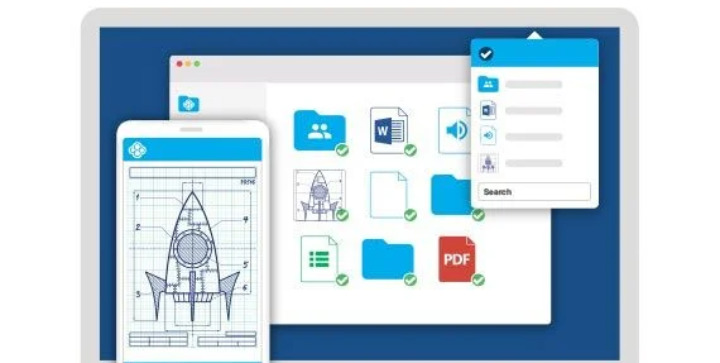
Sync allows administrators to define permission levels for employees, reducing the risk of accidental changes or unauthorized access to clinical photos. It also maintains a detailed file history, making it possible to restore previous versions if files are edited or overwritten.
Key Features
- Secure File Sharing: Set passwords on shared links to better control photo access.
- File Access Control: Control how employees can view or edit files with permission settings.
- Remote Gallery Access: Access the photo gallery and update files from any device with internet access.
Pricing
The Teams Standard plan costs $4/user/month with custom enterprise plans available.
Pros
- Priced well for smaller businesses with fewer users
- Easy to share documents with both staff and customers
- Zero-knowledge encryption for maximum privacy
Cons
- Limited list of supported integrations
- Some users report slower customer support response times
How to Choose the Right HIPAA Storage Solution for Your Practice
Now that we've covered seven HIPAA-compliant storage solutions, if you’re still confused which software to pick, here are the key factors to consider when making your decision:
1. Encryption Standards
Not all encrypted photography storage solutions are the same. So, look for platforms that protect patient photos both in transit and at rest, and understand what encryption method they use.
AES-256 is the current industry standard for data at rest, while TLS protects data during transmission. A compliant platform should clearly explain how both are applied at every stage.
2. Business Associate Agreement
Any platform handling patient photos must be willing to sign a business associate agreement (BAA). This legally binding contract outlines the vendor's responsibility for safeguarding protected health information.
Some providers only offer BAAs on higher-tier plans, so confirm availability before committing.
3. Workflow Integration
A tool that disrupts daily workflows won’t get used consistently. Consider whether the platform integrates with existing EMRs, supports mobile capture, and fits naturally into how your practice already operates.
4. Access Controls and Audit Trails
HIPAA requires you to control who can view and modify patient photos. Therefore, look for role-based permissions, detailed access logs, and the ability to track activity over time. These features simplify audits and help you catch potential issues before they become violations.
5. Scalability
Your storage needs will grow alongside your practice. Evaluate whether the platform can handle increasing patient volume, additional staff members, and expanding photo libraries without requiring a complete system overhaul or unexpected cost increases.
Wrapping Up: Protect Patient Photos with RxPhoto
Protecting patient photos reflects the professionalism your practice delivers every day, and for that, each solution on this list can help you stay compliant. For aesthetic practices, the best HIPAA photo storage solutions also simplify workflows and improve consultations, not just store images.
If you’re looking for a solution purpose-built for clinical photography, RxPhoto is the most appropriate choice. It combines high-quality photo capture, ghosting technology, and EMR integrations in one secure, mobile-friendly platform, safeguarding patient data and saving staff time.
Want to see it in action? Schedule a demo today and transform how your practice manages clinical photos.
Explore this post
Book a demo to see RxPhoto in action