
How RxPhoto works

From capture to consultation, everything stays connected

RxPhoto gives your team a simple workflow to capture consistent before-and-after photos, review results instantly, and keep every image tied to the right patient record.

Get started

What standardized visuals change for your practice

When before-and-after photography is consistent, connected, and structured, the impact goes beyond documentation.

Shorter, more efficient consultations

Standardized capture and instant comparisons eliminate time spent searching for images or recreating context. Providers move through consultations faster, with fewer interruptions and clearer conversations.

Stronger patient confidence

When patients clearly see progress in side-by-side views and structured timelines, uncertainty decreases. Visual clarity reinforces trust and supports more confident treatment decisions.

Scalable documentation across teams

Consistent capture protocols and centralized image management reduce variability between providers and locations, making training easier and growth more manageable.
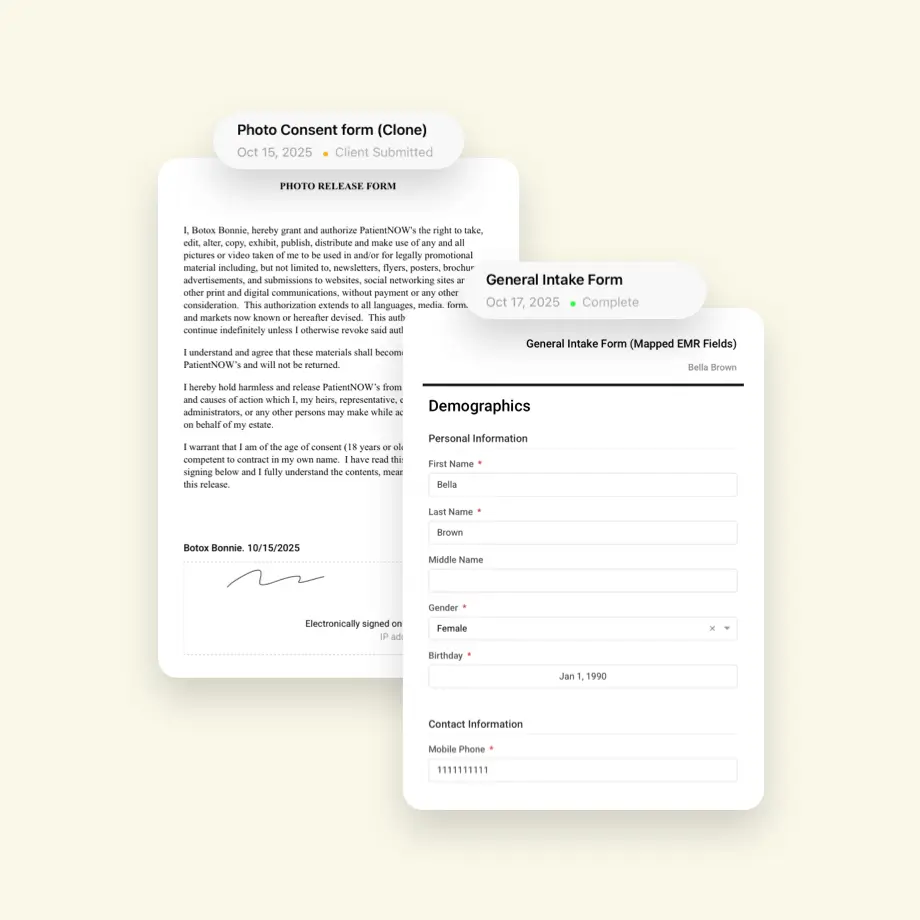
A patient record that actually works

When photos, forms, and notes live in different systems, details get missed and time gets wasted. RxPhoto keeps everything connected to the patient timeline so your team can capture, review, and document each visit without jumping between tools.

Get started

Digital intake and consent

Create patient-facing forms for intake, consent, and treatment documentation. Patients can complete forms in office or remotely, and everything attaches automatically to the visit.

Photos, forms, and notes together

Images, documentation, and consent stay connected to the same patient record so providers always have the full context.
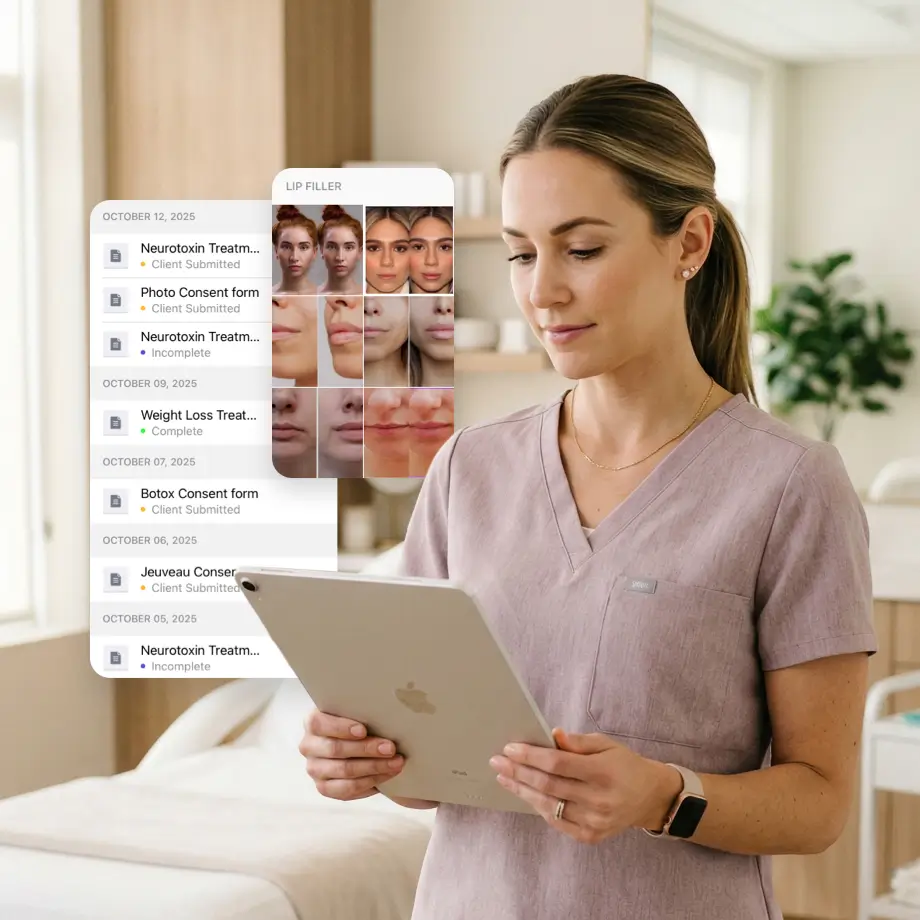
A structured patient timeline

Every visit, photo, and form is organized in one place, making progress reviews and follow-ups easy to manage.
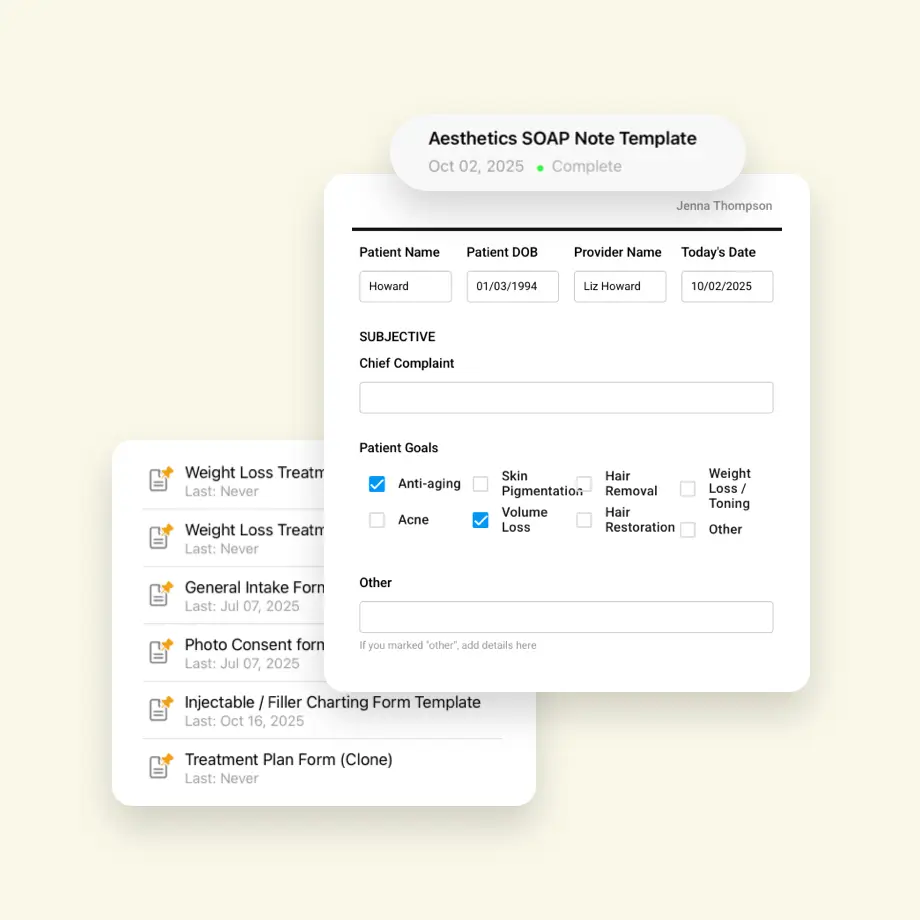
Documentation that scales with your practice

Standardized forms and structured records keep documentation consistent across providers, teams, and locations.


Onboarding that fits clinic life

Built around real clinic workflows

RxPhoto is designed for the way aesthetic teams actually work. Front desk staff, providers, and multi-location teams can adopt the system without disrupting appointments or changing how the clinic runs day to day.

Fast setup and rollout

Most teams begin capturing standardized before-and-after photos within days. Practices can start with one provider or location, then expand as the workflow becomes part of daily operations.

Standards that last

Guided capture, structured records, and shared templates help teams maintain consistent documentation over time. The process stays reliable even as staff change or the practice grows.

Works with the systems you already use

Works With Your Workflow

RxPhoto fits naturally into your clinic day so staff can capture images, complete documentation, and move to the next patient without switching between systems.

Integrates with your EMR

RxPhoto keeps patient images and documentation aligned with your existing records so your team avoids duplicate entry and maintains a clear, organized patient history.

Scales with your practice

Add locations, providers, and services without rebuilding your workflow. Capture standards and documentation stay consistent as your practice grows.

Backed by PatientNow. Built for real clinics

Part of the PatientNow platform

RxPhoto is part of the PatientNow platform, built on years of experience supporting aesthetic practices and their clinical workflows.

Designed for everyday clinic use

RxPhoto is used in real clinical environments where speed, privacy, and consistency matter. Teams rely on it to capture, review, and document patient progress without slowing down the visit.

Built for long-term reliability

RxPhoto continues to evolve alongside the practices that use it, with dependable support and ongoing improvements that keep your workflow modern without constant retraining.

Ready to Grow with RxPhoto?

Capture consistent photos, streamline documentation, and deliver clearer consultations with tools designed specifically for aesthetic practices.

Walk through how RxPhoto fits into your current workflow.

Get started

Control built into every workflow

Role-based access

Assign access by role so team members see only what they need, protecting patient data and keeping workflows secure.

HIPAA-compliant image management

Designed specifically for patient images, with secure handling from capture through storage and sharing.

Controlled image sharing

Set visibility rules, watermark images, and manage how and where results appear.

Audit-ready documentation

Maintain structured records and access logs that support internal policies and operational standards.

Questions about how RxPhoto works?

Still have questions?

See all FAQs
What is RxPhoto?
How does RxPhoto keep before-and-after photos consistent?
How does RxPhoto improve consultations?
Can RxPhoto integrate with our EMR or practice management system?
Is RxPhoto HIPAA-compliant?
Who is RxPhoto for?
What does the PatientNow integration enable?
How quickly can our team get started?