
Quick summary
Beauty clinic documentation falls apart when photos, forms, and notes exist in separate places. A unified system keeps every client record connected and retrievable, which protects the clinic, speeds up visits, and shows clients their progress.
What goes into a beauty clinic’s documentation system
Beauty clinics handle a large volume of sensitive records. Client intake forms, informed consent, treatment notes, and aftercare instructions all pile up across forms and notes that never connect to the photos beside them. How well you manage those records determines the care your clients receive.
A structured system keeps your workflow organized and makes every client interaction consistent, thorough, and professional. If done right, it also becomes the backbone of your clinical photography and consultation work rather than a separate chore your team has to remember.
In this post, we’ll share why documentation workflows matter, and the biggest record-keeping challenges beauty clinics face. You’ll also learn how a unified system for photos, forms, and treatment notes improves efficiency, compliance, and client care.
Why documentation workflows matter in modern beauty clinics
A reliable workflow protects both the client and the clinic. When records move cleanly from intake to follow-up, treatment stays accurate, outcomes improve, and compliance takes care of itself. But if records are scattered across systems, the gaps become compliance risks.
The business value also goes beyond safety into several fronts:
- Stronger client retention: Connected records make follow-ups more personal and informed, giving clients a reason to come back.
- Protection against disputes: Documented consent and treatment history give you a clear paper trail if a question ever arises.
- Visual proof that drives decisions: Before-and-after photos build trust and make it easier for clients to commit to further treatments.
- Smarter inventory management: Tracking product usage per treatment cuts waste and keeps your consumables accurate.
None of these requires more staff or longer hours. They come from connecting the intake and consent forms, photos, and treatment notes you already collect, so each one is easy to find and use.
The growing documentation challenges beauty clinics face
Most beauty clinics know documentation matters, but they lack the tooling to do it well. Notes are stored in one place, photos in another, consent forms on paper, and scheduling in a separate system. Stitching them together wastes time and poses a risk to both the clinic and the client.
That fragmentation shows up in the same ways across clinics of every size:
- No central home for photos, forms, and notes: Staff jump between platforms just to complete a single client record.
- Paper-based intake and consent: They delay check-ins, are easily lost, and create compliance gaps.
- Treatment notes that are hard to retrieve: Without structure, client histories get buried, and continuity of care suffers.
- Inconsistent before-and-after photography: Poorly documented results make it harder to show progress and keep clients.
For many owners, these are daily frustrations that have been accepted as the cost of doing business. But fragmented documentation is a liability that compounds with every record you add.
The core components of an organized beauty clinic documentation system
An organized system doesn't need to be complicated, but it does need to be complete. The right setup is simple to use, flexible enough to fit your current workflow, and secure enough to protect sensitive client data. That means having the following components in place:
- Standardized photo capture.
- Secure digital storage.
- Digital consent and intake forms.
- Treatment and clinical notes.
- Visual consultation tools.
- Easy document sharing.
- Mobile access.
The true value of these components is in how they connect. A consent form that links automatically to the right client, visit, and photos is worth more than the same form stored in a folder somewhere.
How beauty clinics can organize photos more efficiently
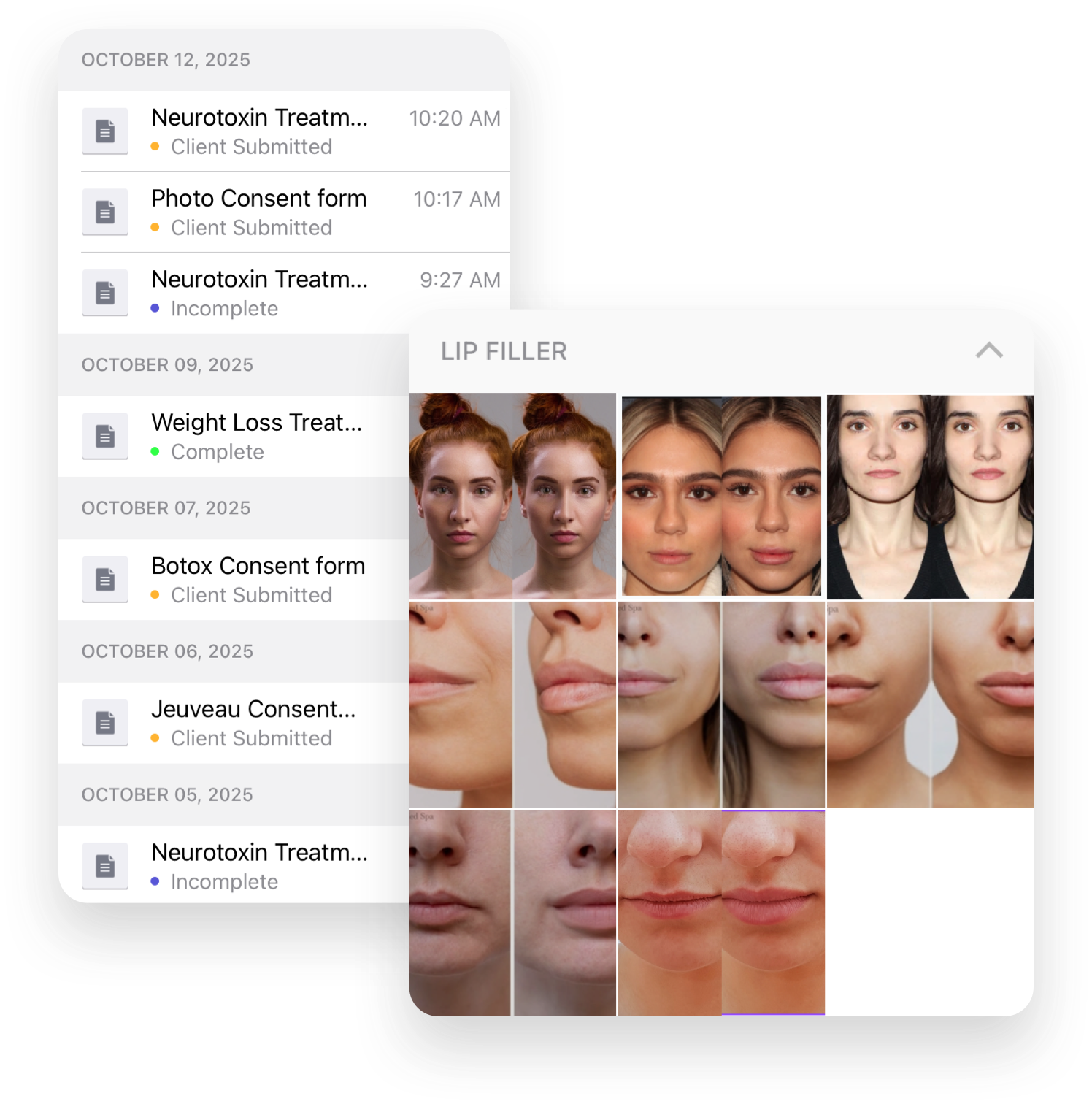
Managing client photos well takes more than creating folders and hoping staff stay consistent. The efficient approach is a dedicated system for beauty clinics that standardizes everything from capture to storage to sharing.
Start with clinical photography, because that's what determines consistency. On-screen photo templates and ghosting features let any staff member line up a follow-up shot to match the original angle, distance, and lighting.
From there, the system should carry that consistency through:
- Using HIPAA-compliant photo software with structured access across devices and locations, so the same record is available at the front desk, in the treatment room, and across sites.
- Tagging images by anatomical area rather than relying on manual file names makes retrieval faster and removes guesswork.
- Annotating directly on the image to mark injection sites, treatment areas, or notes that belong with the photo, rather than being buried in a separate file.
- Building a shareable gallery without manual uploads, then using those same galleries during consultations to build client confidence.
How digital forms improve documentation workflows
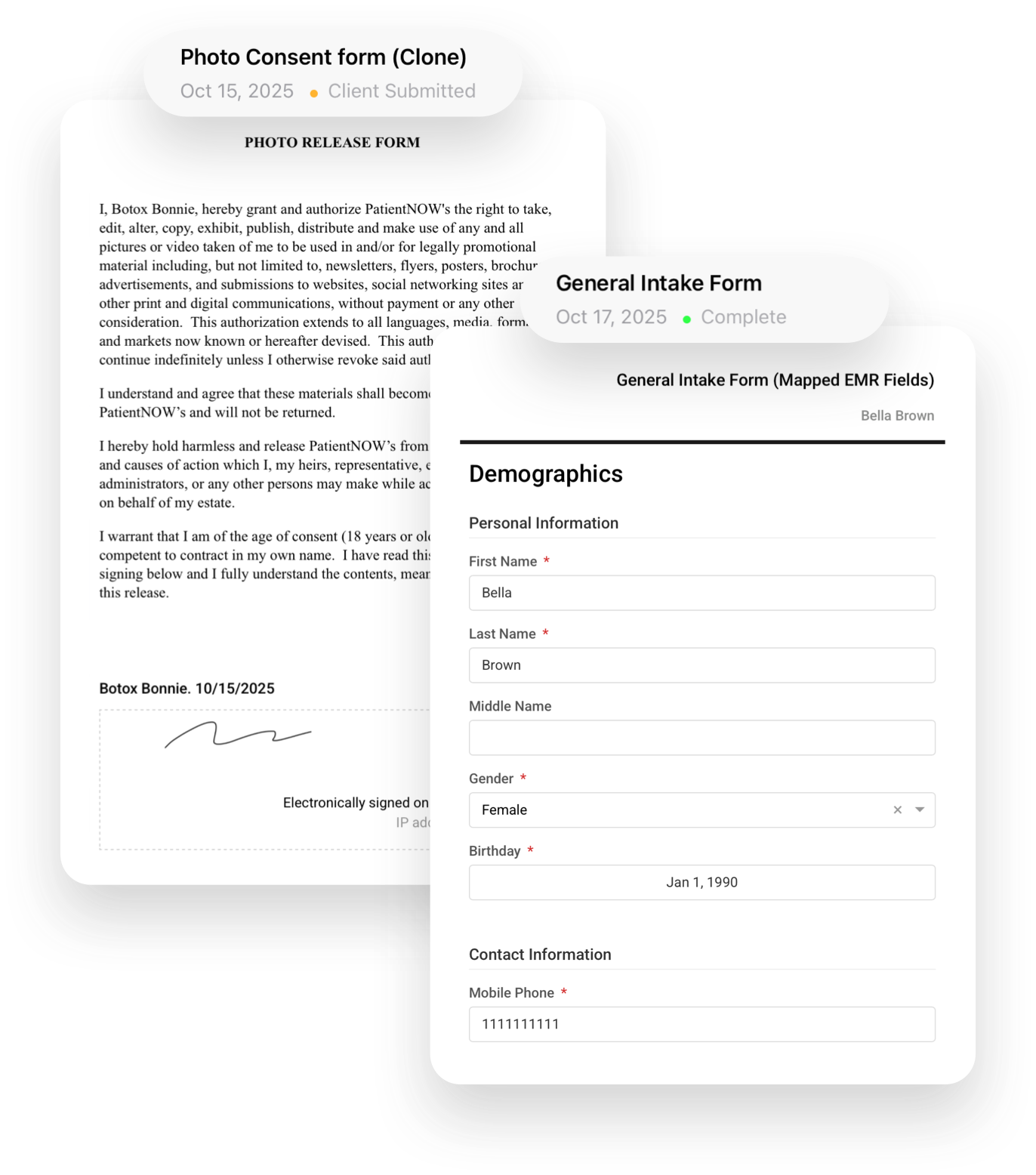
Replacing paper forms with digital ones isn’t just about saving on printing costs. A paper form is a dead document once it's signed, while a digital form becomes a live part of the client record. It’s searchable and connected to the photo timeline and treatment notes without manual linking.
With digital forms, clients complete intake and consent before they arrive, so check-in is quick and the treatment room is reserved for treatment. The signed form is attached to their profile upon submission, which means nothing is filed incorrectly or lost on the way to a cabinet.
Digital forms also include workflow gains that add up quickly:
- Faster check-ins that free your front desk during busy hours.
- Fewer errors and missing fields, since required fields can't be skipped.
- Automatic record linking that ties each form to the right client and visit.
- Consistent documentation across every staff member and location.
- Audit-ready compliance that holds up without a scramble before a review.
How to keep treatment notes connected to photos and visits
Treatment notes lose their value if they're separated from the visit that produced them. When notes and photos are stored on separate systems, it becomes hard to establish context between appointments, and continuity of care suffers.
To fix this, you need a platform where everything is stored, linked, and retrievable together. Look for these capabilities:
- Visit-based organization: Photos grouped by appointment date and anatomical area, so every image traces back to a specific visit and treatment.
- Integrated charting: Clinical notes and treatment details that live inside the same record as the photos taken that day.
- Searchable records: The ability to pull a client's full history by name, date, treatment type, or tag, without opening multiple platforms.
- Timeline view: A chronological display of visits, photos, and notes that lets you review a client's full progress before they sit down.
Why generic documentation tools fall short for beauty clinics
Beauty clinics operate around client journeys rather than isolated visits. A consultation leads to a consent form, treatments generate clinical notes, and a follow-up needs photo comparison.
Generic platforms treat those steps as separate events. As a result, consent is handled in one tool, medical history in another, aftercare in a manual follow-up message, and photos elsewhere. This patchwork of systems increases administrative work and raises compliance and liability risks.
The issue is that these tools are not designed for aesthetic procedures. They have no concept of treatment planning, before-and-after photo management, or the structured clinical documentation that protects the client and the clinic. Workarounds and third-party integrations narrow the gap, but they never fully close it.
What a modern beauty clinic documentation workflow-assisting platform looks like
A modern platform for beauty clinics isn't a general tool with clinical features bolted on. It is built around how aesthetic practices work, from the first consultation to the final follow-up. Here’s what that looks like:
- Unified records: Photos, consent forms, treatment notes, and client history in one place, linked by visit and retrievable without switching systems.
- Standardized photography: Guided capture, on-screen templates, and ghosting that keep image quality and positioning consistent across every staff member and location.
- End-to-end workflow: Imaging, consent, charting, and consultation tools working together rather than as disconnected steps that need manual linking.
- Digital forms with automatic linking: Intake and consent that attach to the client profile on submission, building a complete, audit-ready record with no manual filing.
- Visual consultation tools: Before-and-after comparison, slider, and markup tools that help clients understand their progress and make informed decisions.
- HIPAA-compliant by design: Built-in compliance, encrypted storage, and automatic backups that protect client data without complex setup.
For the clinic, that combination means higher consultation conversion, a lighter staff workload, stronger client trust, and operational consistency that keeps pace with your growth.
How RxPhoto helps beauty clinics stay organized
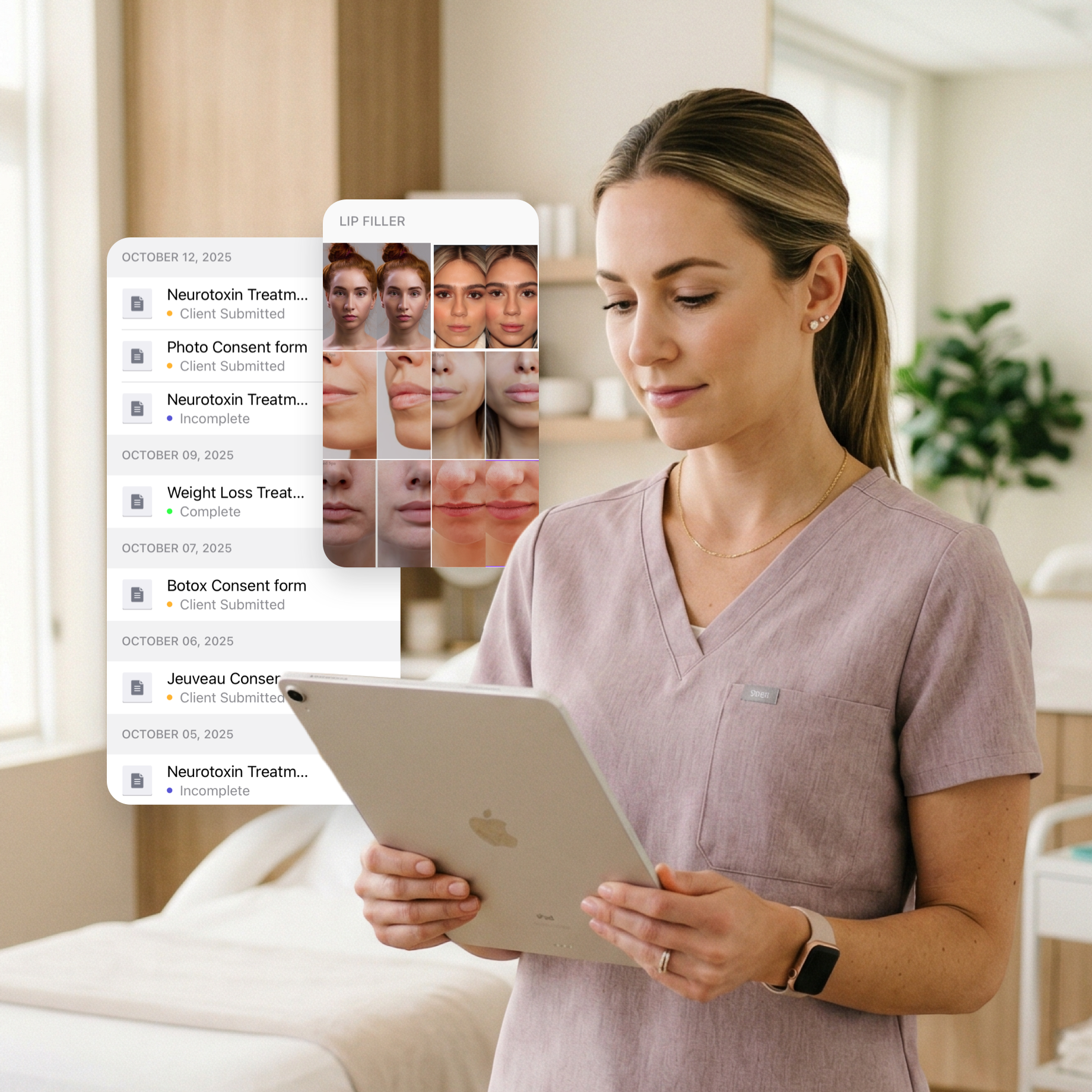
Good documentation comes down to a few things working together: organized photos, connected notes, digital forms, and a system that holds it all without forcing you to switch between multiple platforms. RxPhoto was built to do exactly that.
Forms, consent, clinical notes, and photos stay connected, so providers document faster and review client history without switching systems. RxPhoto keeps patient records in one place, so your team can capture, review, and document each visit at once.
The platform runs as a mobile app for iPhone and iPad and as a web platform on any internet-connected device. Whether your team is at the front desk, in a treatment room, or running several locations, the records they need are within reach.
Schedule your demo with RxPhoto and start running your documentation on one system.
Explore this post
Book a demo to see RxPhoto in action